
Deployment & SupportEQUIPMENT ALREADY IN USE
Technical support & repairs
Tell us which equipment is affected and what happened. Start with the information you have so we can review the issue and confirm the next step.
Find manuals & support guides
Already have a request?
If you have received a confirmation email, reply in that same conversation and include your request reference. Add new information there to keep the issue together.
Continue through your existing email or phone conversation and include any reference the team has provided. A reference alone does not provide online access to your service record.
What do you need help with?
Choose the closest description. You do not need to diagnose the cause before contacting us.

Aircraft & task equipment
Equipment alerts, visible damage, or spraying and spreading components that are not working as expected.


Batteries & charging
Charging problems, battery warnings or related power equipment. Tell us about damage, heat or water exposure.

Controllers, software & records
Connection problems, unexpected settings, software errors or missing task records in an existing workflow.

Maintenance & inspection
Seasonal checks, maintenance after use, wear or an inspection you would like to arrange.
Describe what you see and the step where you cannot continue.
These are request categories. Service availability is confirmed for your equipment and the issue.
A clear next step for your equipment.
The service path, responsibilities and records are agreed for your case. These are the steps to confirm as the work progresses.
Report
Share the affected equipment, symptoms and information readily available.
What to confirmReceipt of the issue and the contact for follow-up.
Review
Check the available information and identify anything else needed.
What to confirmWhat to provide or do next, and who is following up.
Agree
Confirm guidance, inspection, a service visit, receiving arrangements or manufacturer coordination.
What to confirmThe service scope and any applicable fees.
Service
Proceed within the agreed scope and review new findings before extending the work.
What to confirmCurrent status, changes and decisions that need your confirmation.
Close & follow up
Review the work completed, checks performed and any remaining items.
What to confirmA service summary, next actions and a way to continue the conversation.
Before a paid inspection
Confirm the assessment scope and any inspection, visit or transport fees, including what applies if you do not continue with repair.
Before a repair
Confirm the findings, proposed work, parts and cost. Any work outside the agreed scope needs a further confirmation.
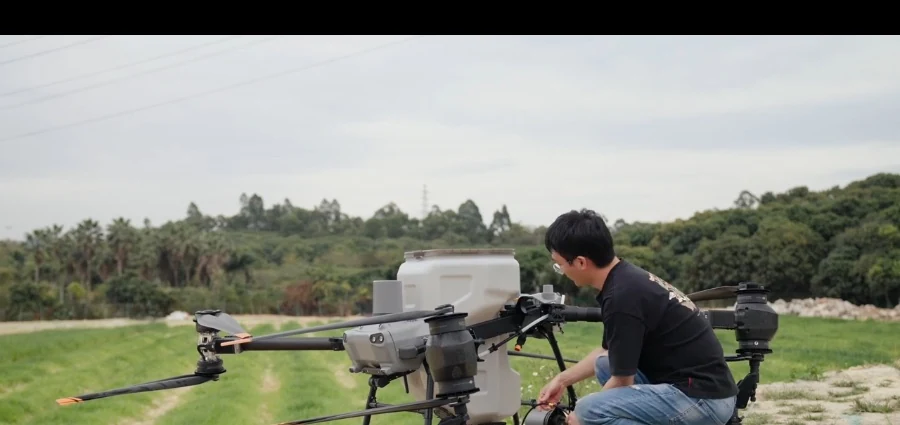

Know the arrangements before proceeding.
Confirm how the work will be handled and what is included before making service or transport arrangements.
- Remote technical support
- Information review and troubleshooting within an agreed scope.
- On-site service
- Availability depends on the location, issue and an agreed appointment.
- Drop-off or shipment
- Wait for receiving instructions that identify the equipment and accessories needed.
- Manufacturer coordination
- Confirm who will handle the next step, which records are needed and SpeedyDrone’s role.
- Assessment & inspection
- Confirm applicable fees and what happens if no reproducible issue is found or you decide not to repair.
- Repair & parts
- The proposed work and parts availability are assessed for the case. A request does not guarantee that a repair or replacement part is available.
- Transport & site visits
- Confirm separate charges, who makes the arrangements and the conditions for receiving equipment.
- Warranty & coverage
- Review the equipment, component, purchase information, region and applicable terms.
- Timing
- An assessment can identify factors affecting timing, including inspection, parts and manufacturer involvement. No fixed turnaround is assumed.
Warranty eligibility and service coverage are reviewed for the equipment, issue and applicable terms. Dealer status alone does not establish repair authorization or warranty approval.
Share your location and purchase channel when requesting support. The available service scope and any costs are confirmed for your case.
05 / BEFORE SENDING EQUIPMENT
Contact us before sending equipment.
Please wait for receiving instructions before shipping or bringing in equipment. A request confirmation is not a shipping approval or a booked visit.
Confirm what to send and where
Receiving instructions should identify the specific equipment, required accessories, receiving location and reference. Do not send the entire system or include batteries unless the arrangements call for them.
Check battery arrangements separately
Tell us whether a battery is included and whether it is damaged, swollen, unusually hot, water-exposed or of uncertain condition. Do not use or tamper with damaged batteries. Damaged, defective or recalled lithium batteries must not travel by air, including inside equipment. Ground shipment also requires appropriate arrangements and compliance.
Declare materials and possible residue
Identify recently used materials, possible pesticide or other residue, cleaning already performed, and any leaks or contamination. Follow applicable product labels, equipment guidance and receiving requirements. Cleaning alone does not confirm that equipment is safe to receive.
Keep the information already available
Keep error messages, the date and time, relevant task records and steps already tried. Confirm which records to preserve before resetting or changing the system. Do not restart or fly equipment to recreate a potentially unsafe fault, open a battery, or erase logs just to submit a request.
Identify equipment without delaying help
Share the model or software name if known. An existing photo of the label, serial number or purchase record can help later, but these are not required to begin. Screenshots and large logs can be arranged during follow-up.
06 / RECORDS & FOLLOW-UP
A service record you can follow.
Agree how findings, approved work and remaining questions will be recorded. A useful handover makes clear what was checked and what still needs attention.
A case may end with guidance, an issue that could not be reproduced, manufacturer referral or a decision not to repair. Review the recorded checks and open items before returning equipment to use.
How to follow up on a request
SERVICE SUMMARY — FORMAT EXAMPLE
An example of the information to record. No customer details, completed repairs or inspection results are shown.
- Equipment & reported issue
- The equipment and the problem originally reported.
- Assessment findings
- What was found and what could not be confirmed.
- Approved work
- The service scope agreed with the customer.
- Work completed
- The work actually carried out and any parts replaced.
- Checks performed
- The checks completed and the conditions used.
- Open items
- Unresolved questions and matters outside this service scope.
- Next action
- Who is responsible for the next step and what they need to do.
- Support reference
- The reference to use in the follow-up conversation.
Useful information before you contact us.
Use the information you already have. Reading a guide is not required before contacting us.
- Model & serial numberWhat is useful now and what can wait.
- Error messages, screenshots & recordsPreserve useful information without recreating a fault.
- Receiving & packing arrangementsConfirm the equipment, accessories and receiving location first.
- Battery handling & shippingReview battery condition and separate transport requirements.
Common questions
Can I ask for support if I bought elsewhere?
Yes. Share the model, purchase channel and issue. The available service scope and applicable fees need to be confirmed for the case; submitting a request does not establish warranty coverage.
What if I do not know whether it is a hardware fault?
Describe what happened, what the screen showed and the step where you could not continue. You do not need to identify the cause. Problems with an existing software workflow can start here too.
Does submitting a request authorize repair?
No. Any paid inspection, visit or transport arrangements require confirmation. Repair scope and costs are confirmed separately after the findings are reviewed, including changes to previously approved work.
Can I send equipment or batteries right away?
Please wait for receiving instructions. Confirm the specific equipment and accessories first, and declare batteries, possible residue and contamination separately. A request reference is not permission to ship or drop off.
How long will it take, and are parts available?
Timing and parts availability depend on the equipment, findings, service route and manufacturer involvement. These are assessed for the case; no fixed turnaround or stock availability is guaranteed in advance.
How do I follow up on an existing request?
If you received a confirmation email, reply in that same conversation and include your reference. Otherwise continue through your existing contact conversation and include any reference you have. Avoid opening another request for the same issue.
Start with what happened.
Email or call us with the model name and a clear description of the issue. Additional records can follow.